Prompt Testing & Regression
Tests are not just verification — they are the safety net for evolving AI specifications.
In Genum, testing is a core capability. Every time you define a prompt, you also fix its expected behavior in tests. And as your prompts change, it's critical to ensure that their behavior remains stable — even when models or parameters change.
This is where regression testing becomes essential.
Why Testing Matters
Regression-proof your specs
Ensure that changes to prompts or model configurations don't break expected logic or outputs.
Behavioral alignment
Test cases verify not only syntax but also semantics — does the model still behave as intended?
Build trust in automation
With reliable test coverage, you can safely iterate, tune, and deploy prompts into production environments.
How to Create Test Cases
From Playground Output
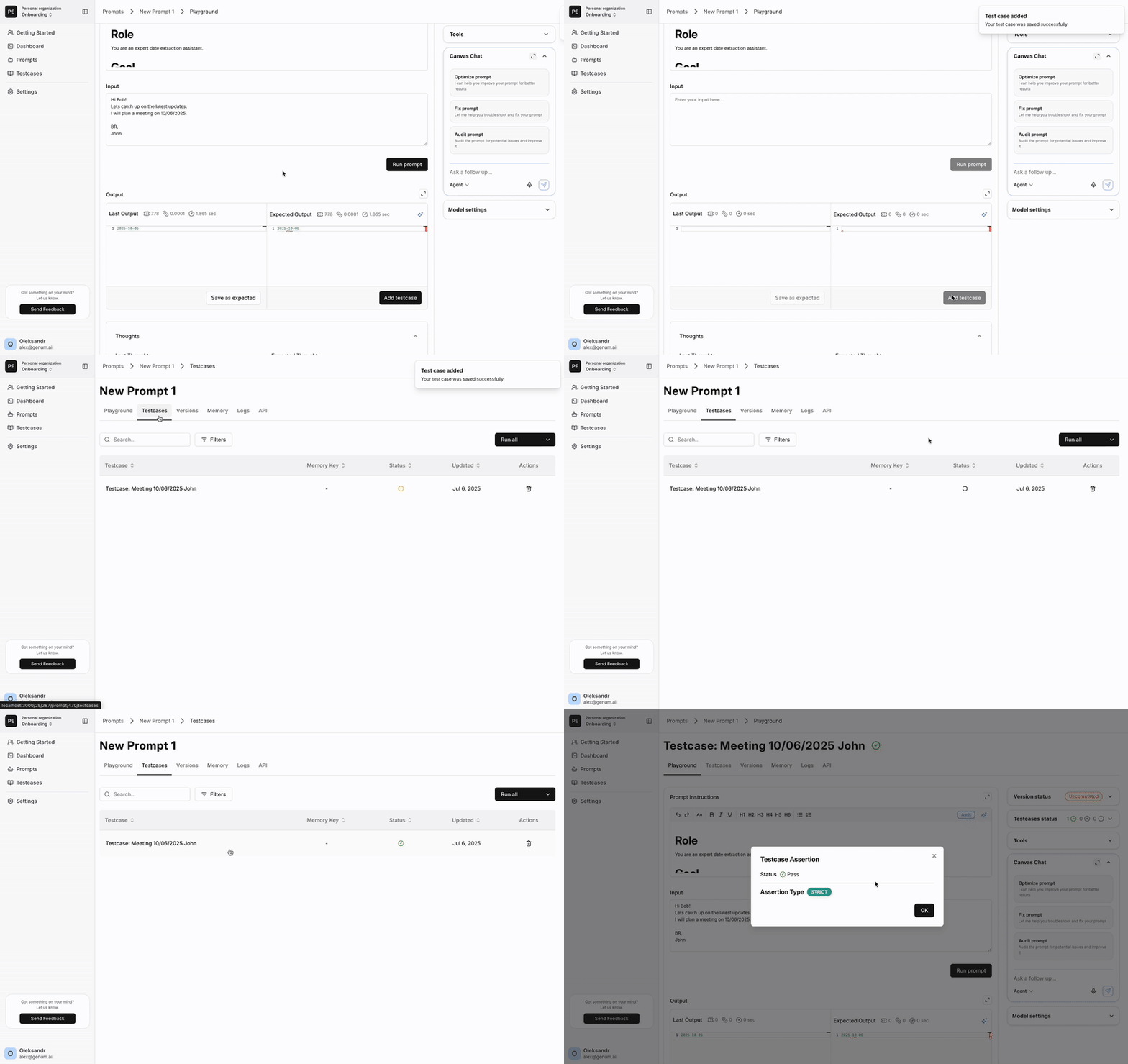
After running a prompt in the Playground and reviewing the output:
- Click Save as Expected if the result is valid.
- Then click Create Test Case to capture the prompt, input, and expected output.
These test cases are tied to the specific prompt specification.
From Logs
You can also create test cases from execution logs:
- If an agent run or API call shows meaningful output,
- And you'd like to freeze it for future checks,
- You can convert the log entry into a test case.
This also works for sessions your own agent sends to Genum over OpenTelemetry.
This is especially useful for:
- Auditing unexpected results
- Testing corner cases from production
- Backfilling test coverage
Running Regression Tests
Once test cases are in place, you can:
- Run all test cases before committing changes
- Re-run specific tests during tuning
- Compare outputs to expected results using AI, strict, or manual assertions
Assertion Modes
- AI – Semantic similarity via LLM
- Strict – Exact match on output
- Manual – Human-reviewed assertions
Placeholders in Tests
A test case stores the value it uses for each placeholder of the prompt, and always runs with exactly those values. Use this to verify:
- That the prompt behaves correctly for every variant of its instructions
- That client-specific or scenario-specific responses are reliably produced
Test cases created from a log keep the placeholder values of that run. The test case table shows each test case's selection in the Placeholders column.
Placeholder blocks are part of the prompt's logic, so test them like any other input.
Promote with Confidence
Before shipping a prompt to production:
- Run your full regression suite
- Validate that no critical behavior has regressed
- Commit the updated prompt version with confidence
In Genum, tests are not optional. They are the quality framework for AI logic.
Stay safe, stable, and reliable — test before you promote. ✅